


A marketing report can show 200 leads and still fail to answer the most important question: Where did the good leads come from? Google Ads may report conversions.
Meta Ads may report leads. Google Analytics may show form submissions. Your CRM may contain another number entirely.
If these systems are not connected properly, it becomes difficult to know which campaigns are actually helping the business. Good lead tracking should follow the journey beyond the original form submission.
Ideally, you should be able to see:
Traffic source → Campaign → Landing page → Lead → Qualified lead → Customer → Revenue
That gives businesses a much more useful picture than simply counting forms. This guide explains how to build that tracking structure across Google Ads, Meta Ads and SEO campaigns.
What Is Lead Tracking?
Lead tracking is the process of recording where a potential customer came from and what happened after they contacted your business.
A lead may arrive through:
- website form
- phone call
- Meta instant form
- demo request
- quote request
- appointment booking
The tracking system should capture both the marketing source and the lead outcome.
For example:
Source: Google Ads
Campaign: Website Development Delhi
Landing page: /web-development/
Lead: Submitted enquiry
Status: Qualified
Outcome: Customer
Revenue: ₹75,000
That information is far more useful than simply recording:
1 form submission
Why Basic Conversion Tracking Is Not Enough
Most advertising platforms are good at measuring the first conversion.
For example:
A visitor clicks a Google ad and submits a form.
Google Ads records a conversion.
That is useful.
But what if the lead is fake?
What if the customer is outside your service area?
What if the lead eventually becomes a ₹5 lakh client?
Standard conversion tracking may not tell you that.
The real marketing question is not only:
Which channel generates leads?
It is:
Which channel generates qualified leads and customers?
That requires a connection between your website analytics, advertising platforms and CRM or sales data.
A Good Lead Tracking Structure
For each lead, try to preserve the following information:
| Field | Example |
| Lead ID | LEAD-1048 |
| Date | 23 Nov 2026 |
| Source | |
| Medium | cpc |
| Campaign | website_development_delhi |
| Landing Page | /web-development/ |
| Lead Type | Contact form |
| Lead Status | Qualified |
| Customer Status | Won |
| Revenue | ₹75,000 |
| GCLID / Ad Identifier | Stored where applicable |
You may also store campaign, ad and creative identifiers where available.
The important part is consistency.
Step 1: Track the Website Conversion Correctly
Before thinking about attribution, make sure the lead itself is tracked correctly.
For a website enquiry, the business action may be:
generate_lead
Google currently recommends generate_lead for lead-generation activity and also provides recommended events such as qualify_lead, working_lead and close_convert_lead for businesses that want to track the full lead funnel.
That means a strong GA4 lead journey can look like:
generate_lead → qualify_lead → working_lead → close_convert_lead
This is much more useful than using a vague event such as:
button_click
as your main conversion.
Step 2: Use GA4 to Understand Traffic Sources
Google Analytics records traffic-source information such as:
Source — where traffic came from.
Medium — how the traffic arrived.
Campaign — the specific marketing initiative.
Examples could include:
google / organic
google / cpc
facebook / paid_social
GA4 uses these dimensions as the foundation of acquisition and attribution reporting.
Once your lead event is working, you can compare lead generation by:
- source
- medium
- campaign
- landing page
- device
This creates your first cross-channel view.
Step 3: Use UTMs Consistently
UTM parameters help identify campaign traffic.
A Meta Ads URL might look like:
example.com/service/?utm_source=facebook&utm_medium=paid_social&utm_campaign=lead_generation_november
Useful UTM fields include:
utm_source
utm_medium
utm_campaign
utm_content
utm_term
Google currently recommends keeping UTM naming consistent because values are case-sensitive and inconsistent labels can split one campaign into several rows.
For example:
FB
may appear as different values depending on your setup.
Choose a naming convention and use it consistently.
A Simple Naming Standard
Google Ads: rely primarily on Google auto-tagging where the accounts are properly integrated.
Meta Ads: facebook / paid_social or instagram / paid_social
Email: newsletter / email
Partner campaigns: partner_name / referral
Do not create a different naming method every month.
Google Ads Lead Tracking
Google Ads lead tracking should ideally operate at two levels:
Online conversion: the initial lead.
Offline conversion: what happened to the lead later.
That second part is extremely important for service businesses.
Step 4: Track the Initial Google Ads Lead
Suppose someone:
- Searches Google.
- Clicks your advertisement.
- Visits a landing page.
- Submits an enquiry.
Your website should record the successful lead action.
Google Ads can then attribute that conversion back to the advertising activity.
Google Ads auto-tagging and click identifiers such as GCLID help Google connect advertising clicks with later conversion activity.
For businesses manually tagging other channels, GA4 supports UTM campaign parameters, while Google integrations can provide additional platform-specific attribution through auto-tagging.
Step 5: Do Not Stop at Form Submission
Imagine Google Ads produces:
Campaign A: 100 leads at ₹500 CPL
Campaign B: 50 leads at ₹900 CPL
Campaign A initially appears better.
But suppose your CRM shows:
Campaign A: 5 qualified leads
Campaign B: 25 qualified leads
Campaign B is actually generating much stronger opportunities.
This is why lead-generation advertisers should return lead-quality information to Google Ads where practical.
Step 6: Use Enhanced Conversions for Leads
Google currently recommends enhanced conversions for leads for advertisers who need to connect website leads with later offline outcomes.
It uses first-party information such as email or phone data, handled in hashed form, alongside advertising identifiers to improve attribution between online ad interactions and later offline conversion stages.
A typical process looks like:
Google Ad → Form submission → CRM lead → Qualified lead → Customer
Then the later lead status can be sent back to Google Ads.
For example:
Qualified Lead
or
Converted Lead
Google specifically recommends those goals for advertisers measuring offline lead outcomes.
Important 2026 Change
Google updated this workflow during 2026.
As of April 2026, enhanced-conversion settings for web and leads were unified. Google also moved current offline lead workflows toward Data Manager, with significant API changes taking effect from June 15, 2026.
That means older tutorials showing legacy offline-conversion uploads may no longer reflect the current recommended setup.
What Should You Store for Google Ads Leads?
Where your setup allows it, preserve:
- GCLID
- lead ID
- email or phone according to applicable privacy requirements
- conversion date/time
- campaign information
- lead status
- conversion value
Google recommends continuing to send GCLID where available and also supports user-provided data for enhanced conversions for leads. A unique order or event identifier can help prevent duplicate conversion imports.
Meta Ads Lead Tracking
Meta lead tracking can happen in two main ways:
Website leads
or
Meta Instant Form leads
The tracking setup differs slightly between them.
Step 7: Track Website Leads With Meta Pixel
For website campaigns, Meta Pixel can record important browser-based events.
Meta’s own developer documentation explains that the Pixel can send key website events, while the Conversions API can send web and offline actions directly from a server or other data source.
For a service website, a successful enquiry may trigger a standard event such as:
Lead
Do not trigger the main lead event merely when a visitor opens the contact page.
It should represent the actual successful business action.
Step 8: Add Meta Conversions API Where Appropriate
The Conversions API, commonly called CAPI, provides another route for sending events to Meta.
Meta currently supports web, app, offline and business-messaging events through the Conversions API.
A strong setup may use:
Browser event: Meta Pixel
plus
Server event: Conversions API
For server-side events, Meta supports information including event name, event time, user data, event source and event ID.
When browser and server implementations are both used, your technical setup should be tested carefully to avoid duplicate conversion reporting.
Step 9: Track Meta Instant Form Leads Into Your CRM
Meta Instant Forms do not require visitors to reach your website.
That makes CRM integration particularly important.
Meta currently supports sending lead-ad submissions directly into CRM systems through supported integrations or custom Webhooks/Graph API connections.
Without this connection, teams may manually download leads and lose valuable source or status information.
A better flow is:
Meta Lead Ad → CRM → Sales Follow-Up → Lead Status → Meta Feedback
Meta also supports sending CRM outcome information back through the Conversions API to help optimise lead campaigns toward higher-quality leads.
This allows advertisers to move beyond:
Who submitted a form?
toward:
Which types of users became good leads?
Step 10: Use the CRM as the Source of Lead Quality
Ad platforms should not be the only place where your business defines success.
Your CRM should ideally track stages such as:
New Lead
Contacted
Qualified
Proposal Sent
Won
Lost
The marketing platform tells you how the person arrived.
The CRM tells you whether that person became valuable.
Combining the two gives you much stronger campaign reporting.
SEO Lead Tracking
SEO is slightly different because there is no advertising click cost and no ad-platform conversion dashboard controlling the campaign.
You usually need a combination of:
Google Search Console + GA4 + CRM
Step 11: Use Search Console for Organic Search Visibility
Google Search Console shows how users discover your website through Google Search.
Its Performance report includes:
- queries
- pages
- clicks
- impressions
- CTR
- average position
Google specifically recommends analysing the Queries and Pages reports to identify which searches and pages are generating traffic.
However, Search Console does not tell you that a specific query produced a specific CRM customer.
That is where GA4 and CRM tracking become important.
Step 12: Track Organic Leads in GA4
When a visitor arrives from unpaid Google Search, GA4 can identify the traffic as organic search.
For example:
google / organic
If the same visitor later triggers:
generate_lead
you can analyse organic search as a lead-generating channel.
That allows reporting such as:
Organic sessions: 5,000
Organic leads: 150
Lead conversion rate: 3%
You can then compare which landing pages contribute most strongly to organic lead generation.
Step 13: Connect SEO Landing Pages With CRM Leads
SEO analysis becomes more powerful when CRM records include the original landing page and source.
For example:
Lead 1: Google Organic → Dental SEO article → Qualified
Lead 2: Google Organic → Web Development Delhi page → Customer
Lead 3: Google Organic → Homepage → Disqualified
Now the SEO team can evaluate pages based on business outcomes rather than only rankings.
A page ranking number one but producing no business value should not automatically be considered your strongest SEO page.
Do You Need UTMs for SEO Traffic?
Generally, no.
Standard organic search traffic can be identified automatically through GA4 traffic-source dimensions such as source and medium.
UTMs are mainly useful when you control the destination link, such as paid campaigns, emails or partner links.
Do not add campaign UTMs to normal internal links across your website simply to track SEO.
That can create unnecessary attribution problems.
Phone and WhatsApp Leads Need Tracking Too
Many businesses track website forms properly but ignore other important enquiry methods.
Examples include:
- phone calls
- WhatsApp clicks
- direct messages
- appointment buttons
A click on a phone number can be tracked as a website event.
But remember:
Phone click ≠ completed phone enquiry
Similarly:
WhatsApp click ≠ qualified WhatsApp lead
Where these channels generate significant revenue, consider connecting the eventual CRM lead back to its marketing source.
Build One Lead Source Naming System
Do not allow every platform or salesperson to invent source names.
Otherwise your CRM may contain:
Google PPC
Google Ads
Adwords
Google Paid
PPC Google
even though they mean the same thing.
Create standard values.
For example:
Source: google
Medium: cpc
Channel: Paid Search
Source: facebook
Medium: paid_social
Channel: Paid Social
Source: google
Medium: organic
Channel: Organic Search
Consistency makes reporting much easier.
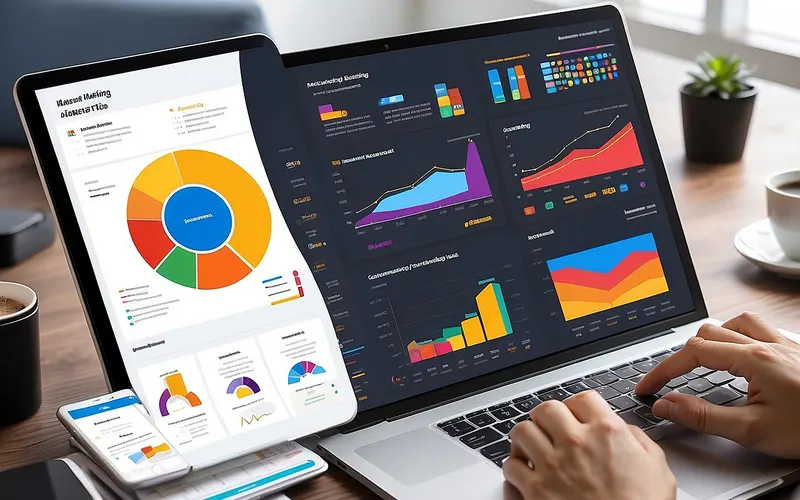
Lead Tracking Dashboard
A useful cross-channel dashboard can include:
| Metric | Google Ads | Meta Ads | SEO |
| Traffic / Clicks | ✓ | ✓ | ✓ |
| Leads | ✓ | ✓ | ✓ |
| Qualified Leads | CRM | CRM | CRM |
| Customers | CRM | CRM | CRM |
| Cost | ✓ | ✓ | — |
| CPL | ✓ | ✓ | Optional SEO cost model |
| CAC | ✓ | ✓ | Optional |
| Revenue | CRM | CRM | CRM |
The goal is to stop treating each platform as an isolated report.
Your CRM outcome should become the common business layer.
Businesses that need help connecting campaign, website and conversion data can explore Analytics growth tracking.
For paid search, paid social, and broader campaign strategy, Strategic digital marketing can support digital marketing requirements.
Common Lead Tracking Mistakes
Counting Every Form Submission as a Good Lead
A lead is not automatically qualified.
Using Different UTM Naming Conventions
facebook, Facebook and fb can fragment reporting.
Tracking Button Clicks Instead of Successful Forms
A click does not prove the form was submitted.
Ignoring Offline Sales
A B2B campaign may generate revenue weeks after the first website interaction.
Not Saving Advertising Identifiers
Losing identifiers such as GCLID can make deeper Google Ads attribution harder.
Leaving Meta Leads Outside the CRM
Downloading spreadsheets manually increases the chance of slow follow-up and lost attribution.
Measuring SEO Only by Rankings
Rankings are useful diagnostic metrics. Qualified leads and customers show business impact.
Duplicate Conversions
Browser, server and CRM tracking must be tested so the same business action is not accidentally counted several times.
A Better Reporting Funnel
Instead of reporting:
Google Ads: 80 conversions
Meta: 120 leads
SEO: 10,000 clicks
report:
Google Ads
80 leads → 30 qualified → 12 customers
Meta Ads
120 leads → 22 qualified → 8 customers
SEO
95 leads → 42 qualified → 18 customers
Now management can compare business impact rather than three unrelated platform metrics.
Track Revenue Where Possible
The strongest lead-tracking setup eventually connects marketing activity with revenue.
If two channels both generate ten customers, they may still have very different value.
For example:
Google Ads: 10 customers → ₹3 lakh revenue
SEO: 10 customers → ₹8 lakh revenue
The number of customers is identical.
The business value is not.
Where possible, record:
- deal value
- actual revenue
- product/service purchased
- recurring revenue
- lead status
That turns lead tracking into marketing-performance measurement.
Conclusion
Effective lead tracking should answer more than:
“How many leads did we generate?”
A strong system should tell you:
Where did the lead come from?
Which campaign generated it?
Which landing page did they visit?
Was the lead qualified?
Did the lead become a customer?
How much revenue did the customer generate?
For Google Ads, connect initial conversion tracking with enhanced conversions for leads and deeper CRM outcomes where appropriate.
For Meta Ads, combine accurate website or instant-form tracking with CRM feedback and Conversions API where the setup requires it.
For SEO, combine Search Console visibility data with GA4 lead events and CRM outcomes.
The goal is one connected funnel:
Source → Campaign → Lead → Qualified Lead → Customer → Revenue
Once that structure is working, marketing decisions become much easier because you are no longer optimising for the highest number of forms.
You are optimising for the channels that create the most useful business results.
Frequently Asked Questions
1. What is lead tracking?
Lead tracking records where a prospect came from and follows what happens after the initial enquiry, including qualification, sales activity and customer conversion.
2. How can I track leads from Google Ads?
Track the initial website conversion and preserve campaign/click information. For businesses where sales happen later, Google recommends enhanced conversions for leads to send qualified or converted lead outcomes back to Google Ads.
3. What is enhanced conversions for leads?
It is Google’s upgraded approach to offline lead measurement that uses hashed first-party customer information alongside advertising identifiers to improve attribution between ads and later lead outcomes.
4. How do I track Meta Ads leads?
Website leads can be tracked using Meta Pixel and Conversions API, while Instant Form leads can be sent directly into a CRM through supported integrations or custom API/Webhook setups.
5. What is Meta Conversions API?
Conversions API allows businesses to send web, offline and other customer events to Meta from server or business data sources rather than relying only on browser events.
6. How do I track SEO leads?
Use Search Console to understand organic queries and landing pages, GA4 to measure organic lead events and your CRM to track qualification and eventual customer outcomes.
7. Should I use UTMs for Google Ads and Meta Ads?
Google Ads can use its native auto-tagging and linked-platform data. UTMs are especially useful for manually tagged channels such as Meta and other campaign links. Keep naming consistent.
8. What is the difference between a lead and a qualified lead?
A lead has expressed interest. A qualified lead has been evaluated against your business criteria and is considered a realistic potential customer.
9. Why do my CRM and ad-platform lead numbers differ?
Differences can come from attribution windows, duplicate tracking, consent, platform modeling, incorrect tags, CRM filtering and leads being generated through different enquiry channels.
10. What is the most important lead tracking metric?
For many businesses, qualified leads, customers, CAC and revenue are more useful than raw lead volume because they show the actual business value created by marketing.